Connection types
On the tab Connection Types you can configure different styles for connections between shapes.
Select an existing connection type on the left or create a new one by clicking on Add above the sidebar.
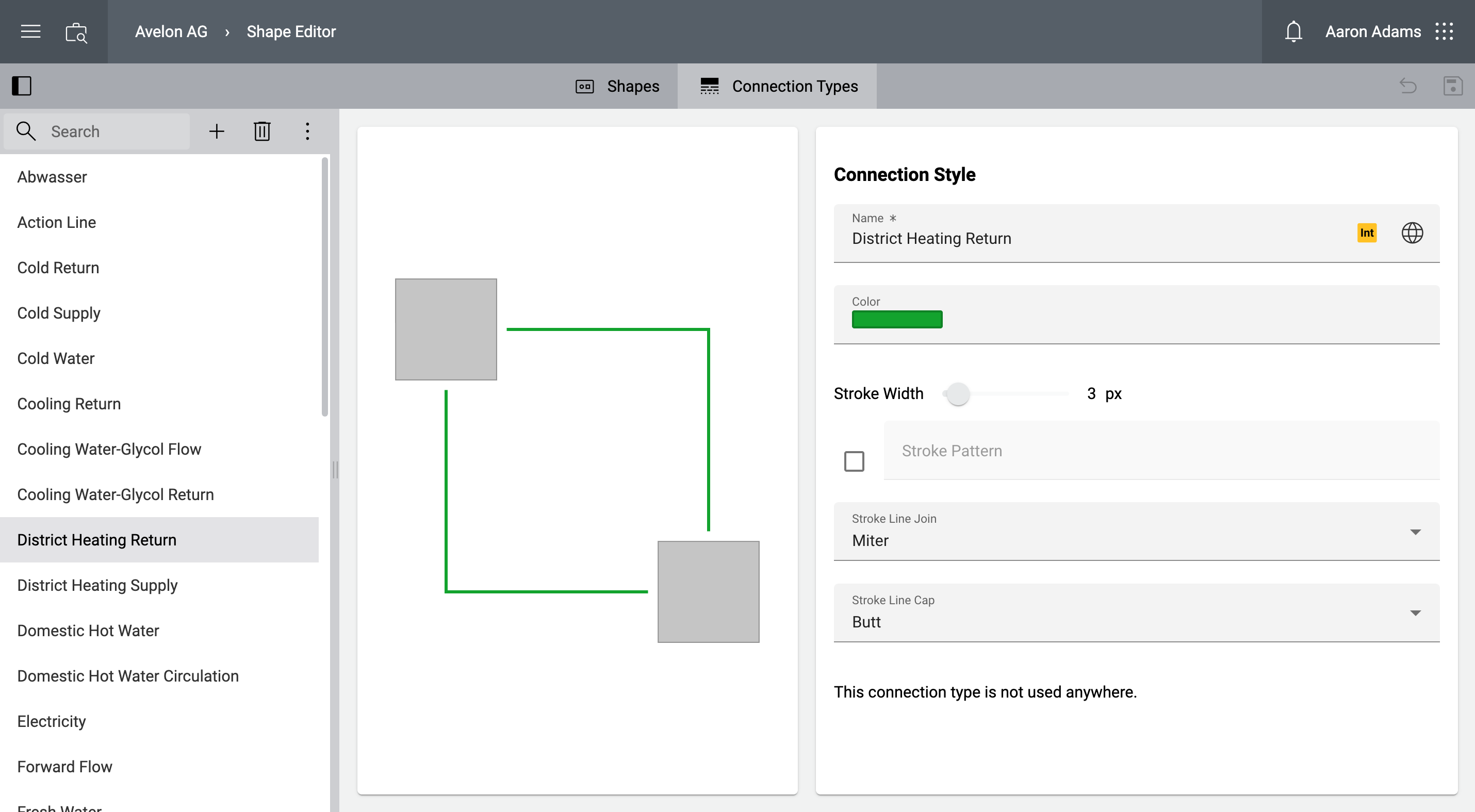
You can now see the configuration of the connection type on the right hand side, and a preview in the middle of the screen.
- Name
The name of the connection type as it appears in Connection Type dropdown on the schematic widget. Use the Edit Translations button to change the name in multiple languages.
- Color
The color of the connection.
- Stroke width
The width of the connection in pixels.
- Stroke pattern
The stroke pattern. Type in a list of comma and/or white space separated values that specify the lengths of alternating dashes and gaps. If an odd number of values is provided, then the list of values is repeated to yield an even number of values. Thus,
5 3 2is equivalent to5 3 2 5 3 2.- Stroke line join
Select how the corners of connection lines should appear.
Miter
Bevel
Round
- Stroke line cap
Select how the ends of connection lines should appear.
Butt
Square
Round
- Schematic usage
This section shows a list of all schematic widgets where this connection type is currently used.
The connection types are automatically available on all schematic widgets and can be selected in the Properties sidebar in the dropdown Connection Type when a connecion is selected.