Documents
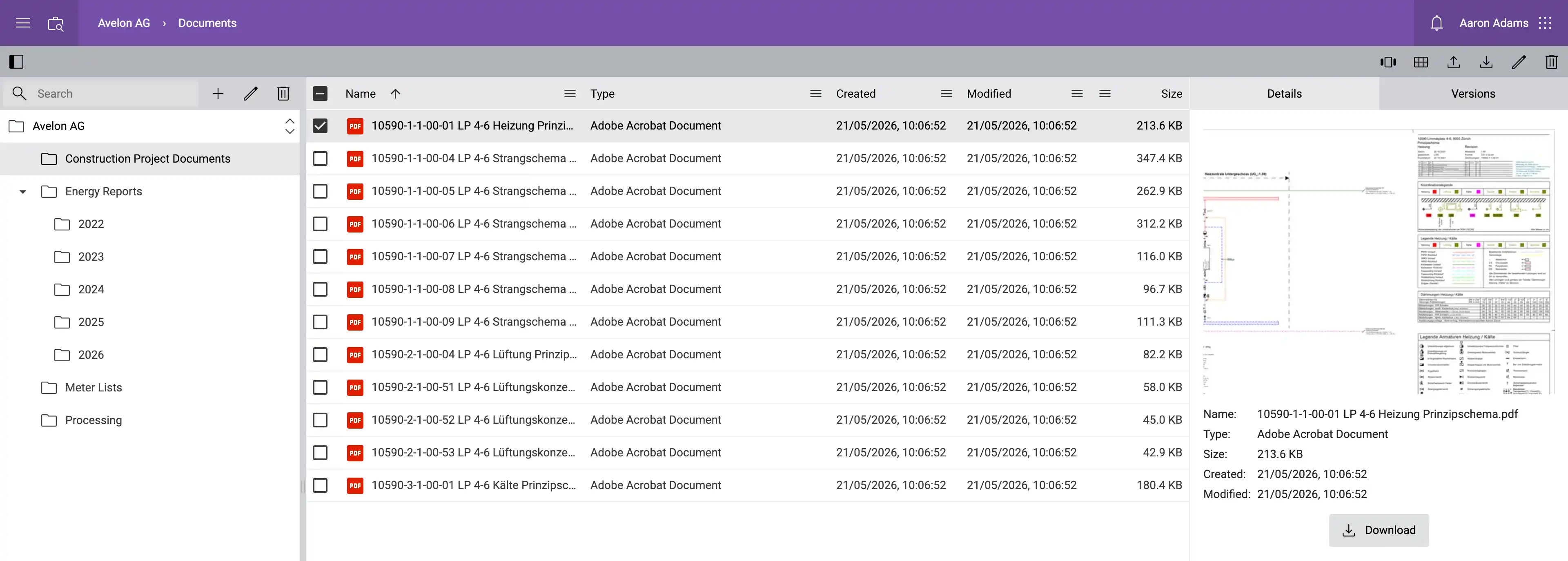
Files can be uploaded and managed in the document management inside the Avelon interface.
Uploaded documents can then be integrated and referenced at various points, for example in groups and shapes or as alarm instructions (see Using files for a list of supported usages). Templates for the automated creation of reports as well as the reports generated from them are also managed via the document management feature.
You can open the document management by clicking Documents in the user menu at the top right, provided the option has been enabled for you.
Storage limit
By default, the storage space for documents is limited to 100 MB per client. If you have at least one license with recurring subscription costs, this limit is automatically increased to 1 GB. For more information on file storage limit and how to extend it, please refer to Storage limit.