Publisher
Publishers let you publish data point values to an external service as quickly as they change.
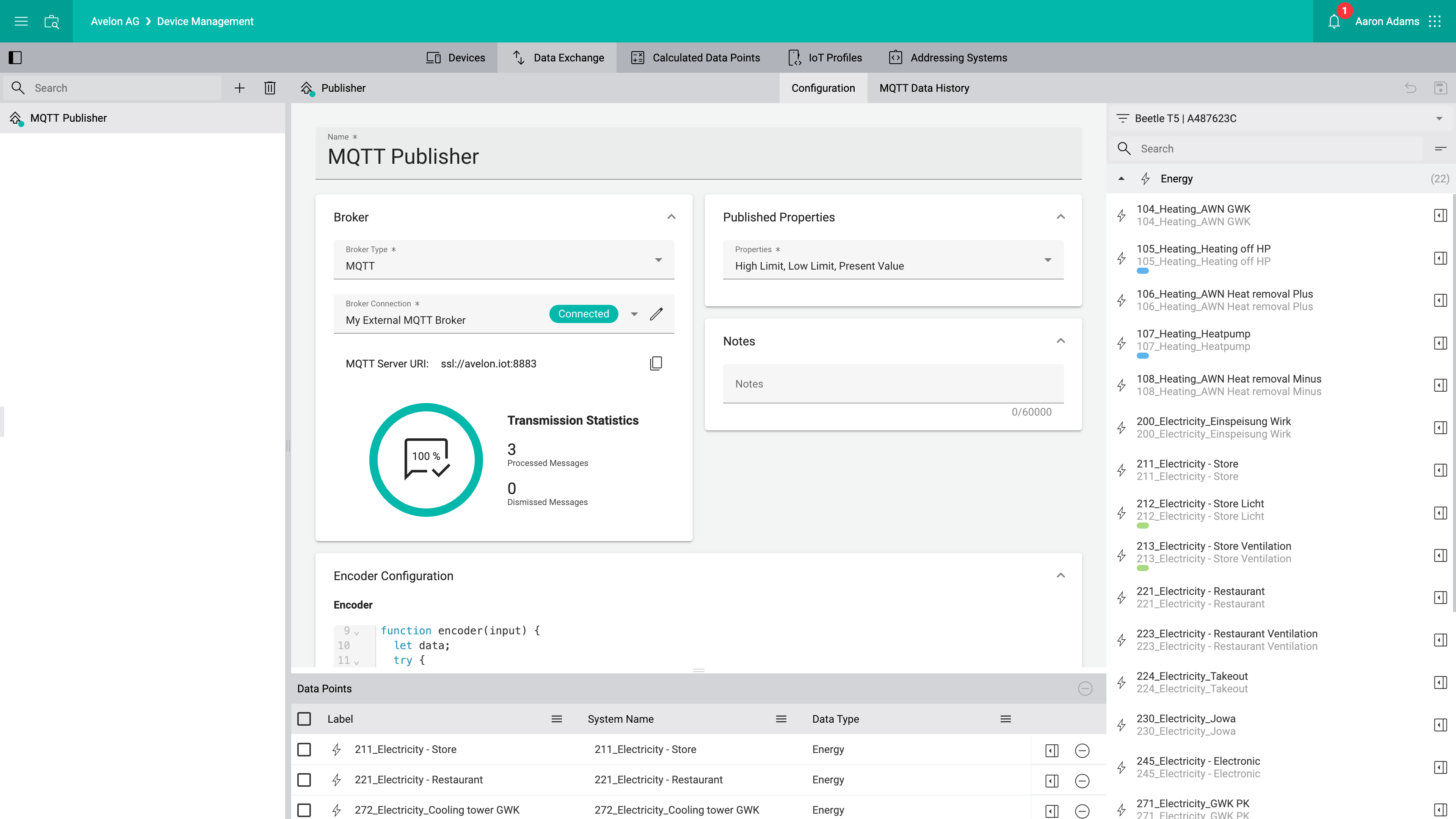
Broker
- Broker Type
Select the type of the external service to which you want to publish data point values.
Currently, only MQTT brokers are supported.
- Broker Connection
Select the desired broker connection from the list. If you want to add a new broker connection or edit an existing one, click on the Manage Broker Connections icon next to it.
See Manage external MQTT broker connections for more details about managing broker connections.
- Transmission Statistics
This section displays the transmission statistics for the sent MQTT messages. On the right, you can see the number of messages that have been successfully processed, as well as the number of messages that have been dropped due to the violation of our MQTT restrictions. The number inside the circle shows the fraction of successfully processed messages in relation to the total number of sent messages.
Published Properties
In this list, you can select all the data point properties that you want to publish.
Notes
Provide additional information about the purpose of this publisher if necessary.
Encoder Configuration
In the Encoder field, define the encoding function.
The JavaScript function takes a string with the serialized JSON data point object and needs to return an object with the fields topic and payload, where payload contains the name of a data point property as a key (e.g. battery, temperature, humidity etc.), and the value of the data point property as its value.
// Example input:
// {
//   "systemName": "TEMPERATURE_SYSTEM_NAME",
//   "properties": {
//     "Present_Value": 23
//   }
// }

function encoder(input) {
  let data;
  try {
    data = JSON.parse(input);
 } catch (e) {
     return;
  }

  if (data.systemName.includes("TEMPERATURE") && data.properties.hasOwnProperty('Present_Value')) {
    return {
      topic: 'home/livingroom/temperature',
      payload: '{"temperature":' + data.properties.Present_Value + '}'
    };
  }
}
{
  topic: '<topic>',
      payload: '{"<property>":<value>}'
}
<topic>should be replaced with the actual MQTT topic.<property>should be replaced with the name of the data point property that the recipient expects.<value>should be replaced with the correct value of the property, which can be derived from theinputparameter.
Note that payload must contain an already serialized JSON string, e.g. '{"value":21}'.
You can use JSON.stringify() to generate this string from an object, e.g. payload: JSON.stringify({value:21}).
Encoder Test
To test your encoder, select a data point from the Data Point dropdown. Note that this dropdown only contains data points that have been assigned to the Data Points table at the bottom of the screen.
For each data point property that you enabled on the Published Properties card above, you can enter a test value. Then click Test to initiate the test.
The data point properties and test values will be serialized and passed to the encoder function, and its return value will be printed below if the script was executed successfully.
Data Points
The publisher will only be able to transmit values of those data points that have been assigned to the Data Points table at the bottom on the screen.
To assign data points, drag them from the data point sidebar on the right to the table at the bottom.