Client selection
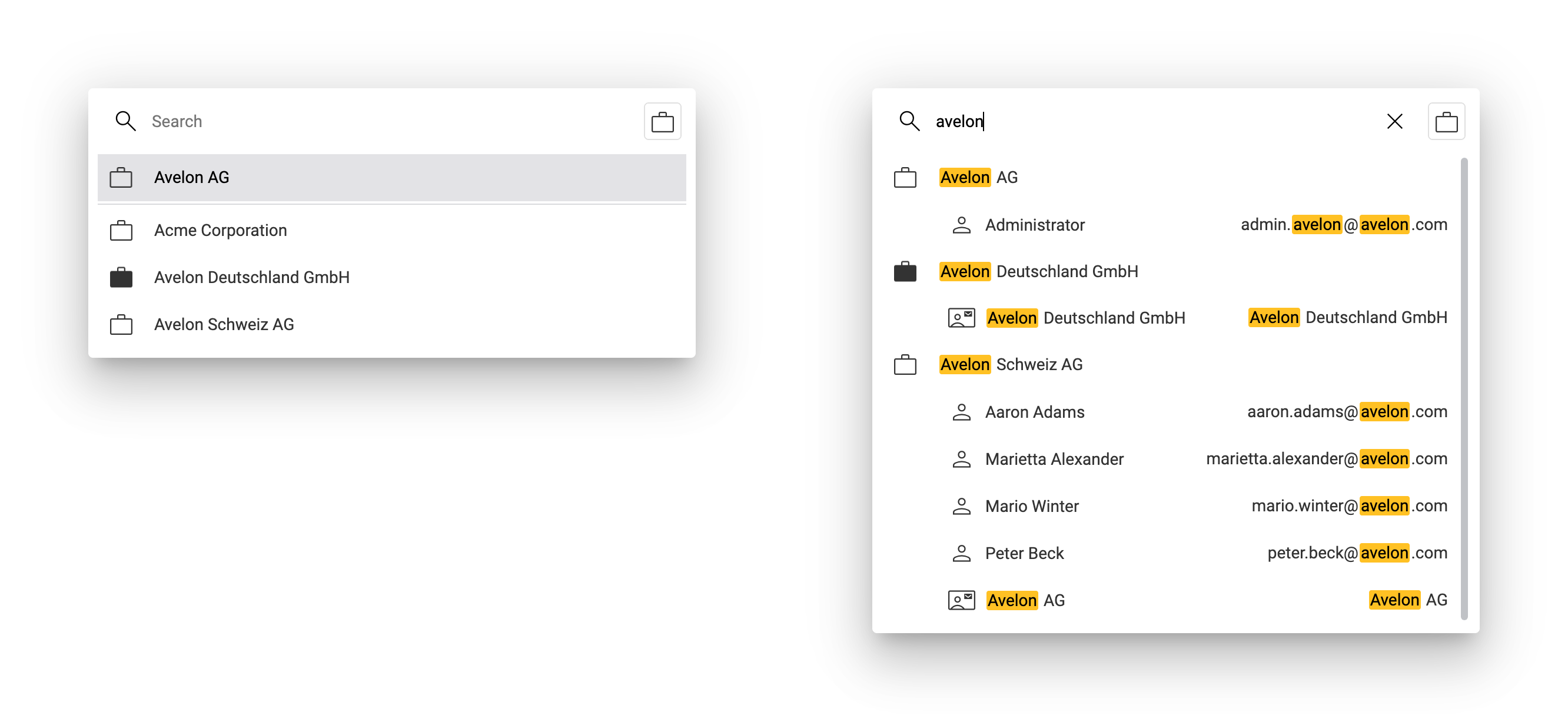
If you have access to other clients on Avelon Cloud or Alcedo Inhouse via mandate relationships, you can switch between these clients by clicking on Search Clients at the top left.
Your own client will be displayed at the top of the list, followed by the clients you have access to via mandate relationships. The currently selected client is highlighted with a filled icon.
If you start typing the name of a client, the list of clients will be filtered by this search string. By default, the search will also include users and addresses inside the clients. If you select one of these, you will be redirected to the details page of that particular user or address, respectively.
If the list contains too many matching users or addresses, you can limit the search to clients only by clicking on the toggle button Show Clients Only in the top right corner.